Painless Docker
Unlock the Power of Docker and its Ecosystem

Painless Docker is a practical guide to mastering Docker & its ecosystem with real-world examples.
It is a detailed step-by-step guide to create, deploy, optimize, secure, debug, log, orchestrate & monitor Docker, Docker clusters & modern Docker-based microservices from development to production.
Buying multiple copies for your team? See below for a discount!
About
About the Book
Docker is a powerful tool, but learning how to use it effectively can be time-consuming. If you are used to the old paradigms of development and deployment, this paradigm shift to Docker's containerization can be challenging, as it introduces completely new concepts and workflows.
Docker's approach to isolated environments, image management, and microservice architecture requires a significant shift in understanding from traditional methods.
Many engineers and developers feel overwhelmed by the rapidly growing cloud and containerization ecosystem, making it challenging for them to enter the world of containers.
"Painless Docker" aims to bridge this gap, providing a comprehensive guide to help you smoothly transition to Docker's innovative ecosystem, enhancing your development and deployment processes efficiently.
"Painless Docker" serves as a gateway to Docker's world, helping you become proficient in its usage. You'll discover that using Docker is easy and efficient for your development and operations environments.
"Painless Docker" is a comprehensive and detailed guide that covers Docker and a significant portion of its ecosystem. This guide is designed for beginners and intermediate levels, providing step-by-step guidance. It starts with basic concepts and progresses to advanced features. By the end, readers will have mastered Docker and microservices, including their development and production usage. The guide also covers Docker Compose, Docker Swarm, and important tools from the ecosystem.
These are the 10 most important things you will learn:
- Basics and advanced concepts of Docker: An in-depth exploration of Docker beyond just an introduction.
- Building and deploying your own images in production: From the build process to running containers.
- Docker volumes, storage management, filesystems, and storage drivers.
- Networking and advanced concepts such as SDN, cloud drivers, and more.
- Optimizing Docker: Techniques for creating efficient images and running containers.
- Building tools that integrate with Docker using the Docker API.
- Docker logging and debugging: Monitoring Docker health and troubleshooting issues.
- Docker orchestration using Swarm: Overlay networks, ingress, and tools for setting up a production cluster.
- Understanding how Docker works and how to build your own Docker (containerd, runC, shim, namespaces, seccomp, cgroups..etc)
- Docker security and best practices: Essential knowledge for maintaining a stable and secure production system.
Packages
Pick Your Package
All packages include the ebook in the following formats: PDF, EPUB, and Web
Painless Docker Guide
Minimum price
Suggested price$25.99$19.99
Buying multiple copies for your team? See below for a discount!
Painless Docker Guide + Get 3 extra hours of personalized guidance
Minimum price
Suggested price$350.00Enhance your learning experience with an exclusive offer: Get 3 extra hours of personalized guidance with the purchase of 'Painless Docker'. Be accompanied by the author for dedicated support, tailored to your specific needs and questions
$350.00
- Personalized Support PackageDear Valued Reader, Thank you for considering the purchase of 'Painless Docker' along with the exclusive Personalized Support Package. This unique offering provides you with 3 successive hours of dedicated support from the author (call), designed to enhance your understanding and application of Docker. To facilitate this personalized support session please share your email. The author will contact you via email to schedule a suitable time for the session. This will also be an opportunity for you to outline specific topics or questions you wish to explore during the session. Thanks, Aymen
Team Discounts
Team Discounts
Get a team discount on this package: Painless Docker Guide
Up to 3 members
- Minimum price
- $49.00
- Suggested price
- $64.00
Up to 5 members
- Minimum price
- $79.00
- Suggested price
- $103.00
Up to 10 members
- Minimum price
- $139.00
- Suggested price
- $181.00
Up to 15 members
- Minimum price
- $199.00
- Suggested price
- $259.00
Up to 25 members
- Minimum price
- $299.00
- Suggested price
- $389.00
Author
About the Author
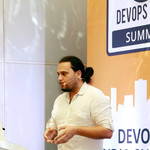
Aymen El Amri
Aymen El Amri is an author, entrepreneur, trainer, and polymath software engineer who has excelled in a range of roles and responsibilities in the field of technology including DevOps & Cloud Native, Cloud Architecture, Python, NLP, Data Science, and more.
Aymen has trained hundreds of software engineers and written multiple books and courses read by thousands of other developers and software engineers.
Aymen El Amri has a practical approach to teaching based on breaking down complex concepts into easy-to-understand language and providing real-world examples that resonate with his audience.
Some projects he founded are FAUN, eralabs.io, and Marketto. You can find Aymen on Twitter and Linkedin.


Episode 88
An Interview with Aymen El Amri
Contents
Table of Contents
Preface
- To Whom Is This Guide Addressed?
- How To Properly Enjoy This Guide
- Join the community
The Missing Introduction to Containerization
- We Are Made by History
- Jails, Virtual Private Servers, Zones, Containers, and VMs: What’s the Difference Anyway?
- OS Containers vs. App Containers
- Docker: Container or Platform?
- The Open Container Initiative: What is a Standard Container?
- A Deep Dive into Container Prototyping with runC
- Industry Standard Container Runtimes
- containerd, shim and runC: How Everything Works Together
- Adding a New Runtime to Docker
- Does CRI Mean the Death of Docker?
- The Moby Project
Installing and Using Docker
- Installing Docker
- Docker CLI
Docker Events
- Using Docker API To List Events
Docker Containers
- Creating Containers
- Running Containers
- Restarting Containers
- Pausing and Unpausing Containers
- Stopping Containers
- Killing Containers
- Removing Containers
- Container Lifecycle
- Starting Containers Automatically
- Accessing Containers Ports
- Running Docker In Docker
Managing Containers Resources
- Memory Usage Reservations and Limits
- CPU Usage Reservations and Limits
Docker Images
- What is an Image?
- Images are Layers
- Images, Intermediate Images & Dangling Images
- The Dockerfile and its Instructions
- The Base Image
- Extending the Base Image
- Exploring Images’ Layers
- Building an Image Using a Dockerfile
- Creating Images out of Containers
- Migrating a VM to a Docker Image
- Creating and Understanding the Scratch Image
Docker Hub and Docker Registry
- Docker Hub, Public and Private Registries
- Docker Hub: The Official Docker Registry
- Using Docker Hub
- DockerHub Alternatives
- Creating a Private Docker Registry
Optimizing Docker Images
- Less Layers = Faster Builds?
- Is There a Maximum Number of Layers?
- Optimizing Dockerfile Layer Caching for Dependency Management
- The Multi-Stage Build
- Smaller Images
- Other Techniques: Squashing, Distroless, etc
Docker Volumes
- What is a Docker Volume?
- Creating and Using Docker Volumes
- Listing and Inspecting Docker Volumes
- Named Volumes vs Anonymous Volumes
- Bind Mounts
- Data Propagation
- Dangling Volumes
- TMPFS Mounts
- Docker Volume From Containers
Docker Logging
- How Docker Logs Work
- Logging Best Practices and Recommendations
- Logging Drivers
- Docker Daemon Logging
Docker Networks
- Docker Networks Types
- The (System) Bridge Network
- The (User) Bridge Network
- The Host Network
- The None Network
- The Macvlan Network
- The Overlay Network
- The Ingress Network
- Docker Links
Docker Compose
- What is Docker Compose and Why Should I Care?
- Installing Docker Compose
- Understanding Docker Compose and How it Works
- Docker Compose Dependencies
- Creating Portable Docker Compose Stacks
- Docker Compose Logging
- Understanding Docker Compose Syntax
- Using Dockerfile with Docker Compose
- Docker Compose with Bind Mounts
- Creating Custom Networks
- Docker Compose Secrets
- Scaling Docker Compose Services
Cleaning Docker
- Delete Volumes
- Delete Networks
- Delete Images
- Remove Docker Containers
- Cleaning Up Everything
Docker Plugins
Orchestration - Docker Swarm
- What is Docker Swarm?
- Creating a Swarm Cluster
- Swarm Services and Tasks
- Networking in Docker Swarm
- Performing Operations on Nodes
- Multi-manager Docker Swarm
- Docker Swarm Environment Variables and Secrets
- Docker Swarm Volumes
- Deploying a WordPress Application on Docker Swarm
- Docker Swarm Global Services
- Docker Swarm Resouce Management
- Docker Swarm Stacks
- Docker Swarm Rolling Updates
- Using an External Load Balancer with Docker Swarm
- Using Traefik as a Front-End Load Balancer with Docker Swarm
- Docker Swarm Logging
- Docker Swarm vs. Kubernetes
Docker Desktop
- What is Docker Desktop?
- How to Install Docker Desktop
Common Security Threats
- Docker vs. VMs: Which is more secure?
- Kernel Panic & Exploits
- Container Breakouts & Privilege Escalation
- Poisoned Images
- Denial-of-service Attacks
- Compromising secrets
- Application Level Threats
- Host System Level Treats
Docker Security Best Practices
- Implement Security by Design
- setuid/setgid Binaries
- Control Resources
- Use Notary to Verify Image Integrity
- Scan Images
- Set Container Filesystem to Read Only
- Set Volumes to Read-Only
- Do Not Use the Root User
- Run the Docker Daemon in Rootless Mode
- Do Not Use Environment Variables For Sensitive Data
- Use Secret Management Tools
- Do Not Run Containers in the Privileged Mode
- Turn Off Inter-Container Communication
- Only Install Necessary Packages
- Make Sure Docker is up to Date
- Security Through Obscurity
- Use Limited Linux Capabilities
- Use Seccomp
- Use AppArmor
- Use SELinux
Docker API
- Docker SDKs
- Docker API: Hello World
- Prototyping a Log Collector Service
Debugging And Troubleshooting
- Docker Daemon Logs
- Activating Debug Mode
- Debugging Docker Objects
- Troubleshooting Docker Using Sysdig
The Ultimate Docker Cheat Sheet
- Installation
- Docker Registries & Repositories
- Running Containers
- Starting & Stopping Containers
- Getting Information about Containers
- Managing Images
- Networking
- Cleaning Docker
- Docker Swarm
- Docker Scout Suite
- Resources
Afterword
- What’s next?
- Thank you
- About the author
- Join the community
- Feedback
The Leanpub 60 Day 100% Happiness Guarantee
Within 60 days of purchase you can get a 100% refund on any Leanpub purchase, in two clicks.
Now, this is technically risky for us, since you'll have the book or course files either way. But we're so confident in our products and services, and in our authors and readers, that we're happy to offer a full money back guarantee for everything we sell.
You can only find out how good something is by trying it, and because of our 100% money back guarantee there's literally no risk to do so!
So, there's no reason not to click the Add to Cart button, is there?
See full terms...
Earn $8 on a $10 Purchase, and $16 on a $20 Purchase
We pay 80% royalties on purchases of $7.99 or more, and 80% royalties minus a 50 cent flat fee on purchases between $0.99 and $7.98. You earn $8 on a $10 sale, and $16 on a $20 sale. So, if we sell 5000 non-refunded copies of your book for $20, you'll earn $80,000.
(Yes, some authors have already earned much more than that on Leanpub.)
In fact, authors have earned over $14 million writing, publishing and selling on Leanpub.
Learn more about writing on Leanpub
Free Updates. DRM Free.
If you buy a Leanpub book, you get free updates for as long as the author updates the book! Many authors use Leanpub to publish their books in-progress, while they are writing them. All readers get free updates, regardless of when they bought the book or how much they paid (including free).
Most Leanpub books are available in PDF (for computers) and EPUB (for phones, tablets and Kindle). The formats that a book includes are shown at the top right corner of this page.
Finally, Leanpub books don't have any DRM copy-protection nonsense, so you can easily read them on any supported device.
Learn more about Leanpub's ebook formats and where to read them
Write and Publish on Leanpub
You can use Leanpub to easily write, publish and sell in-progress and completed ebooks and online courses!
Leanpub is a powerful platform for serious authors, combining a simple, elegant writing and publishing workflow with a store focused on selling in-progress ebooks.
Leanpub is a magical typewriter for authors: just write in plain text, and to publish your ebook, just click a button. (Or, if you are producing your ebook your own way, you can even upload your own PDF and/or EPUB files and then publish with one click!) It really is that easy.